



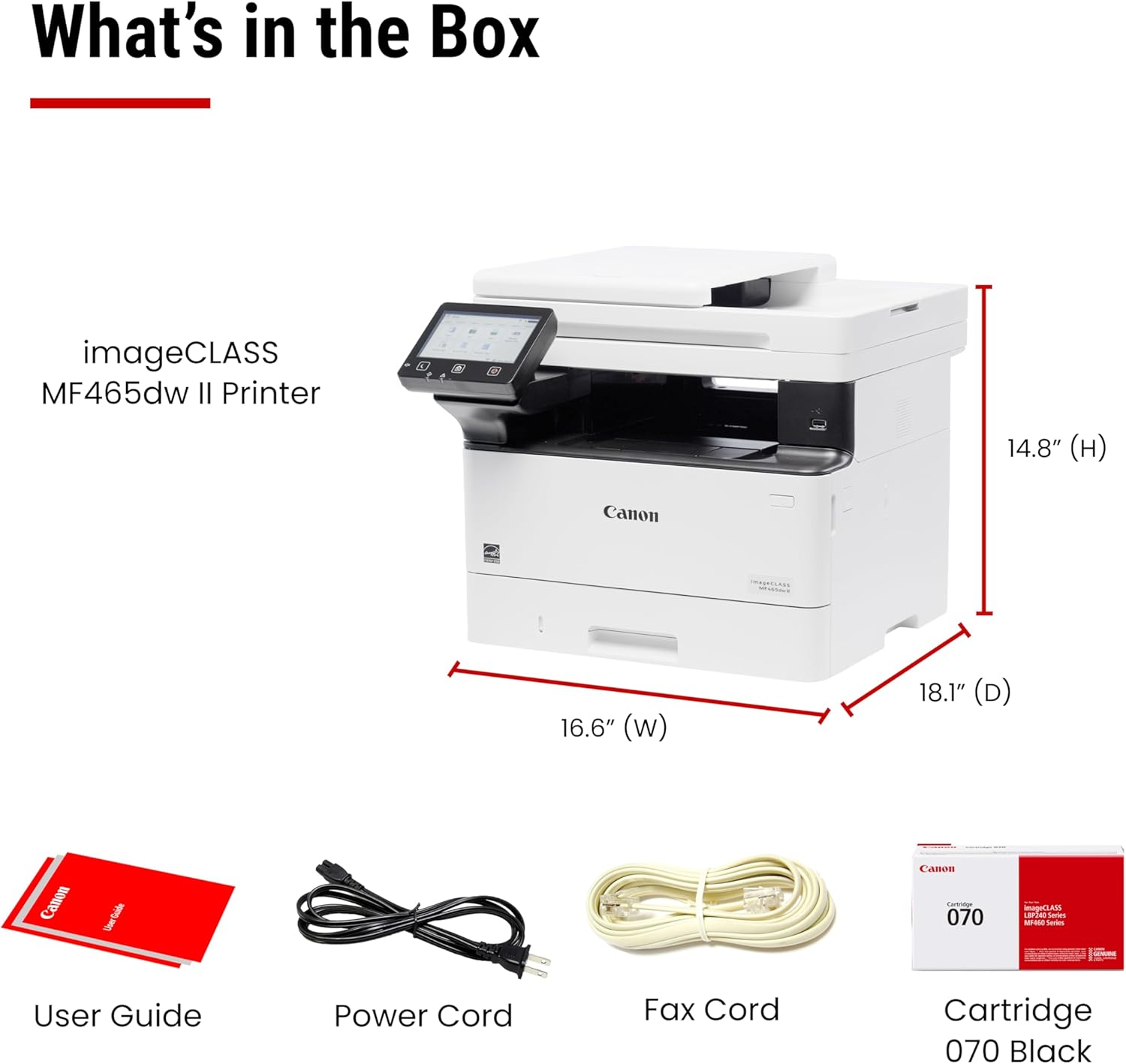

Wireless Duplex Laser Printer with Print, Copy, Scan, Fax, Expandable Paper Capacity & 3-Year Warranty
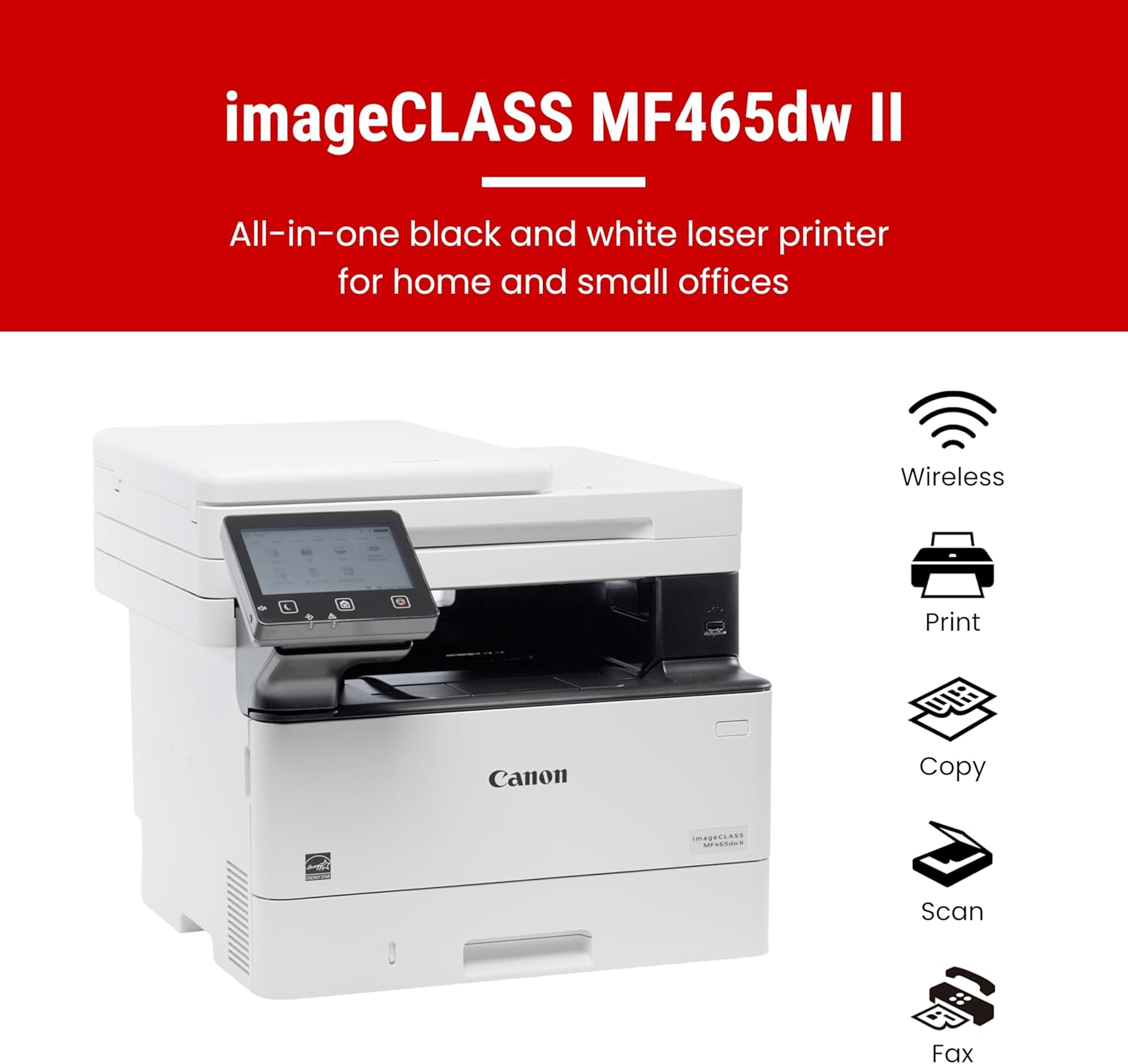
The Canon imageCLASS MF465dw II is engineered for small and home offices, offering a perfect balance of speed, reliability, and low-maintenance operation. In this detailed review (~1,000 words), we’ll examine its design, performance benchmarks, paper handling, mobile connectivity, consumables, and overall value—so you’ll know exactly what to expect before you buy.
1. Product Overview
- Model: Canon imageCLASS MF465dw II
- Functions: Print, Copy, Scan, Fax (4-in-1)
- Print Speed: Up to 42 pages per minute (PPM)
- Connectivity: USB, Ethernet, Wi-Fi, Mobile (AirPrint, Mopria, Canon PRINT app)
- Paper Capacity: 250-sheet cassette + 100-sheet multipurpose tray; expandable to 900 sheets
- ADF: 50-sheet duplex, one-pass scan
- Warranty: 3-year limited
- Certifications: ENERGY STAR, EPEAT Silver, Chromebook-compatible
2. Design & Build Quality
The MF465dw II presents a sturdy, compact chassis ideal for desktops or small workspaces.
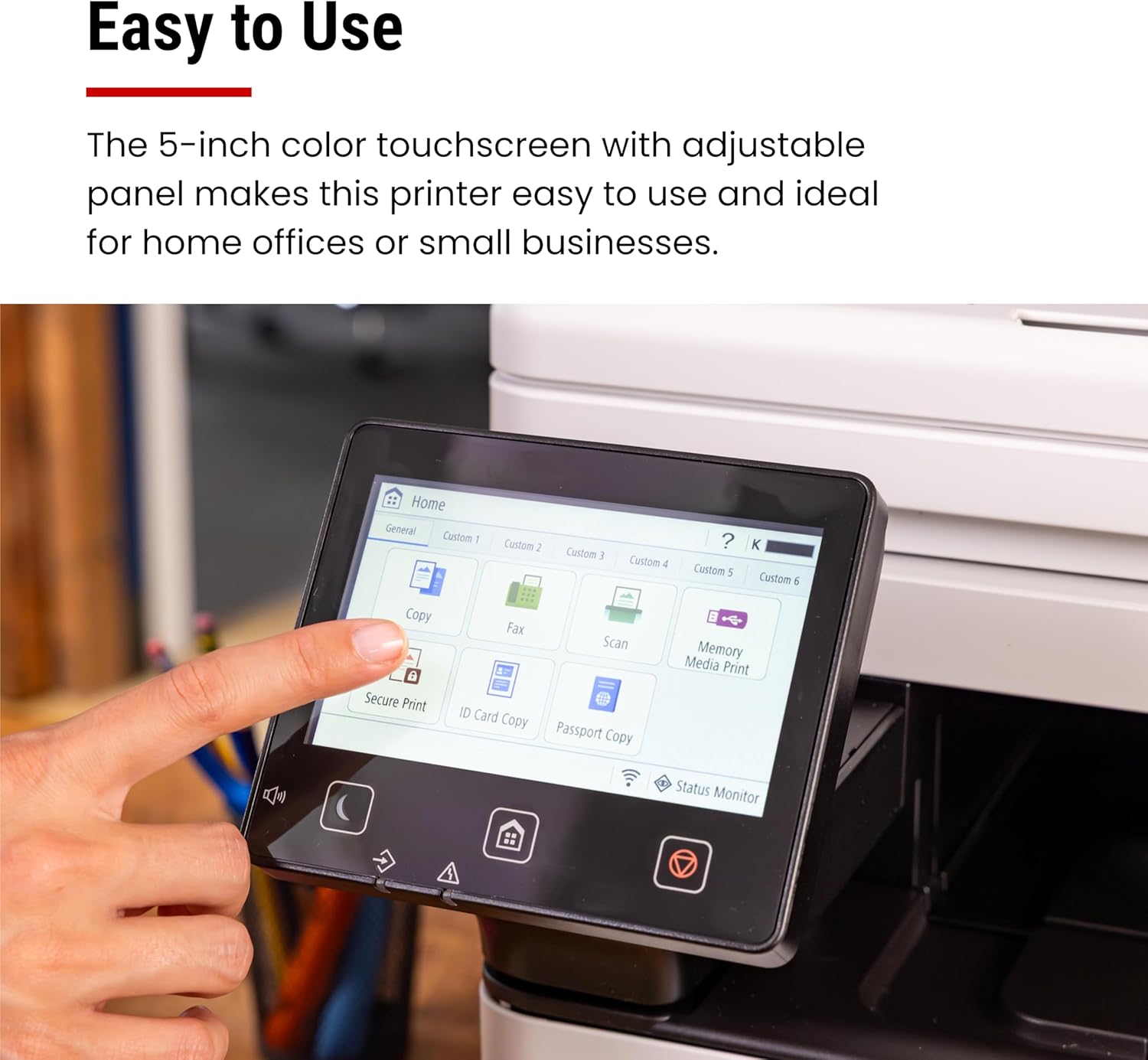
- 5″ Color Touchscreen:
- Responsive, customizable Application Library for one-touch access to frequent jobs.
- Intuitive icons and on-screen guidance shorten the learning curve.
- Paper Trays & ADF:
- Smooth-glide cassettes with clear capacity indicators.
- Integrated handles make tray access effortless.
- Durability:
- All key panels and trays feel solid under repeated use.
- Tolerates moderate humidity and temperature fluctuations in home-office settings.
3. Speed & Performance
3.1 Printing
- 42 PPM Output reduces wait times on large print runs.
- First-Print-Out Time: ~5 seconds from sleep mode—excellent for ad-hoc print jobs.
- Duplex Printing: Automatic, high-speed two-sided output saves paper and time.
3.2 Scanning & Copying
- One-Pass Duplex ADF: Scans both sides of a 50-page document in a single pass—ideal for invoices, reports, and multi-page forms.
- Scan Resolution: Up to 600 dpi; supports color and monochrome.
- Copy Speed: Mirrors print speed; multiple copy modes (fit-to-page, scanning density adjustment).
3.3 Faxing
- Dedicated Fax Memory: Stores up to 512 pages; automatic redial and broadcast transmission.
- Quick Dial & Group Dial: Speeds up repetitive send tasks.
4. Paper Capacity & Handling
|
Tray
|
Standard Capacity
|
Optional Expansion
|
Total Possible
|
|---|---|---|---|
|
Main Cassette
|
250 sheets
|
AH-1 cassette (550)
|
Up to 800
|
|
Multipurpose Tray (MPT)
|
100 sheets
|
—
|
100
|
|
Grand Total
|
—
|
—
|
900 sheets
|
- Versatility: Handles media from 16- to 32-lb bond, envelopes, labels, and cardstock.
- Jam Reduction: Roller design and sensor-driven feed minimize misfeeds.
5. Toner & Operating Costs
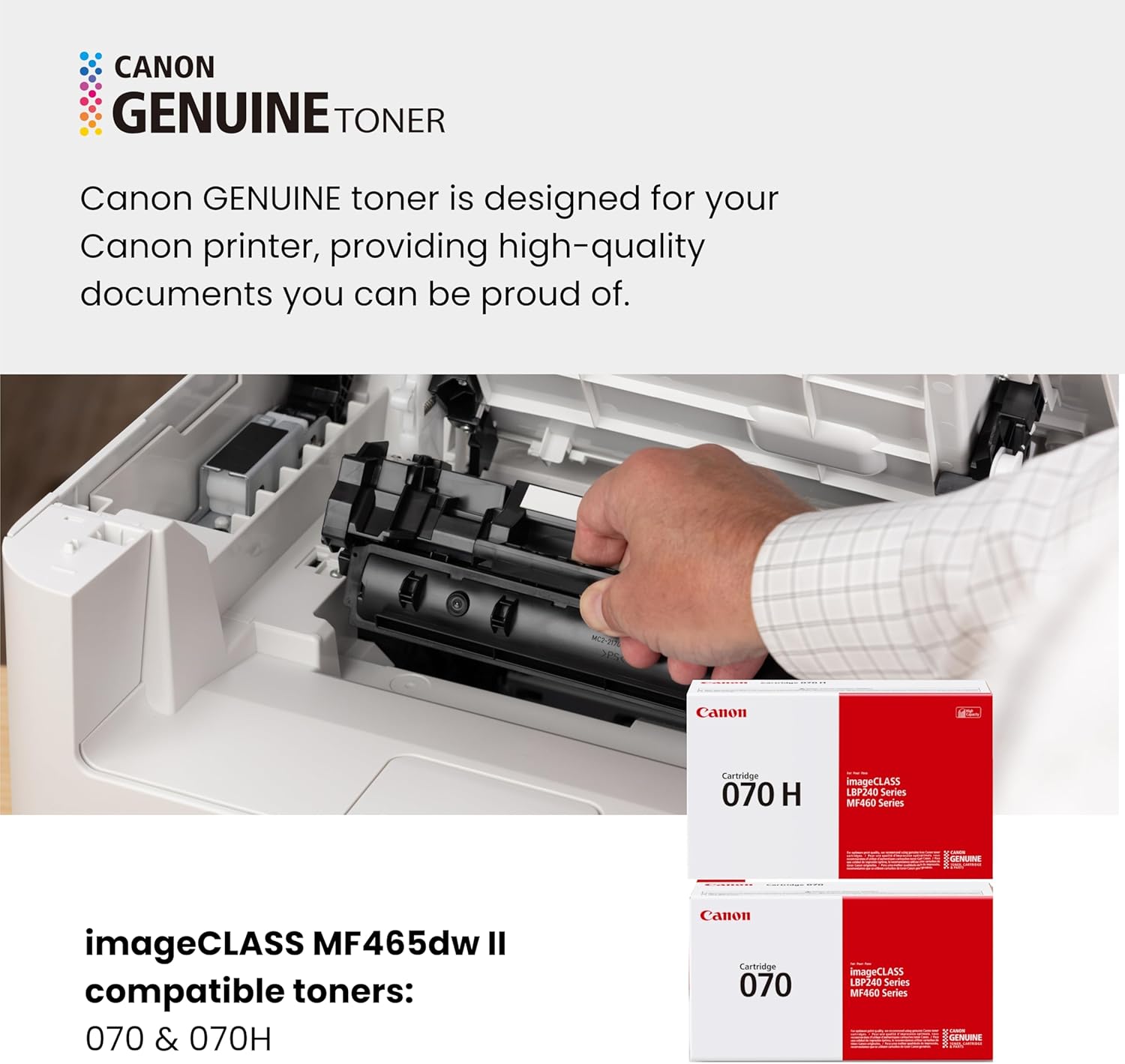
- Canon Genuine Toner 070: ~3,000 pages yield
- Toner 070 High-Capacity: ~10,200 pages yield
- Cost Efficiency: High-capacity option lowers cost per page by ~40%.
- Toner Replacement: Front-loading cartridge bay allows quick swaps without unmounting the printer.
6. Connectivity & Mobile Printing
- Wi-Fi Setup: Easy Wireless Setup Wizard guides you through SSID and password entry.
- Mobile Apps & Protocols:
- Canon PRINT (iOS & Android) for full control: scan-to-email, cloud uploads, job preview.
- Apple AirPrint & Mopria for driverless printing from smartphones/tablets.
- Network Integration: Ethernet port supports secure, high-speed wired connections; ideal for shared office networks.
7. User Experience & Interface
- Touchscreen Menu: Personalized home screen—pin your top 6 functions for instant access.
- Quiet Mode: Reduces toner-fuser noise during off-peak hours.
- Status Alerts: On-screen toner/battery warnings and mobile notifications keep you informed.
8. Warranty & Support
- 3-Year Limited Warranty: Covers functional defects and includes on-site service in eligible areas.
- Service Network: Canon’s global support ensures fast parts replacement and technical assistance.
- Consumable Coverage: Warranty excludes replacement toner and wear-and-tear items but covers major components.
9. Pros & Cons
Pros
- Blazing 42 PPM print/output performance
- High-capacity toner option for low operating costs
- One-pass duplex ADF for efficient scanning
- Robust mobile connectivity and driverless printing
- Long 3-year warranty and reliable support
Cons
- Upfront cost higher than basic monochrome lasers
- Subscription-based advanced feature set limited (no cloud fax)
- Bulkier footprint when fully expanded with optional tray
Conclusion & Recommendations
The Canon imageCLASS MF465dw II shines in any setting where speed, reliability, and versatility are non-negotiable. Whether you’re printing large reports, scanning multi-page documents, or faxing contracts, this 4-in-1 laser brings commercial-grade performance to your desktop. Its expandable paper capacity and high-yield toner options keep running costs down, while the 3-year warranty offers peace of mind. We recommend it for:
- Small businesses needing high throughput
- Home offices with mixed print/scan/fax workloads
- Hybrid workers who print occasionally but demand reliability
Invest in the MF465dw II for a future-proof printer that grows with your workload.